
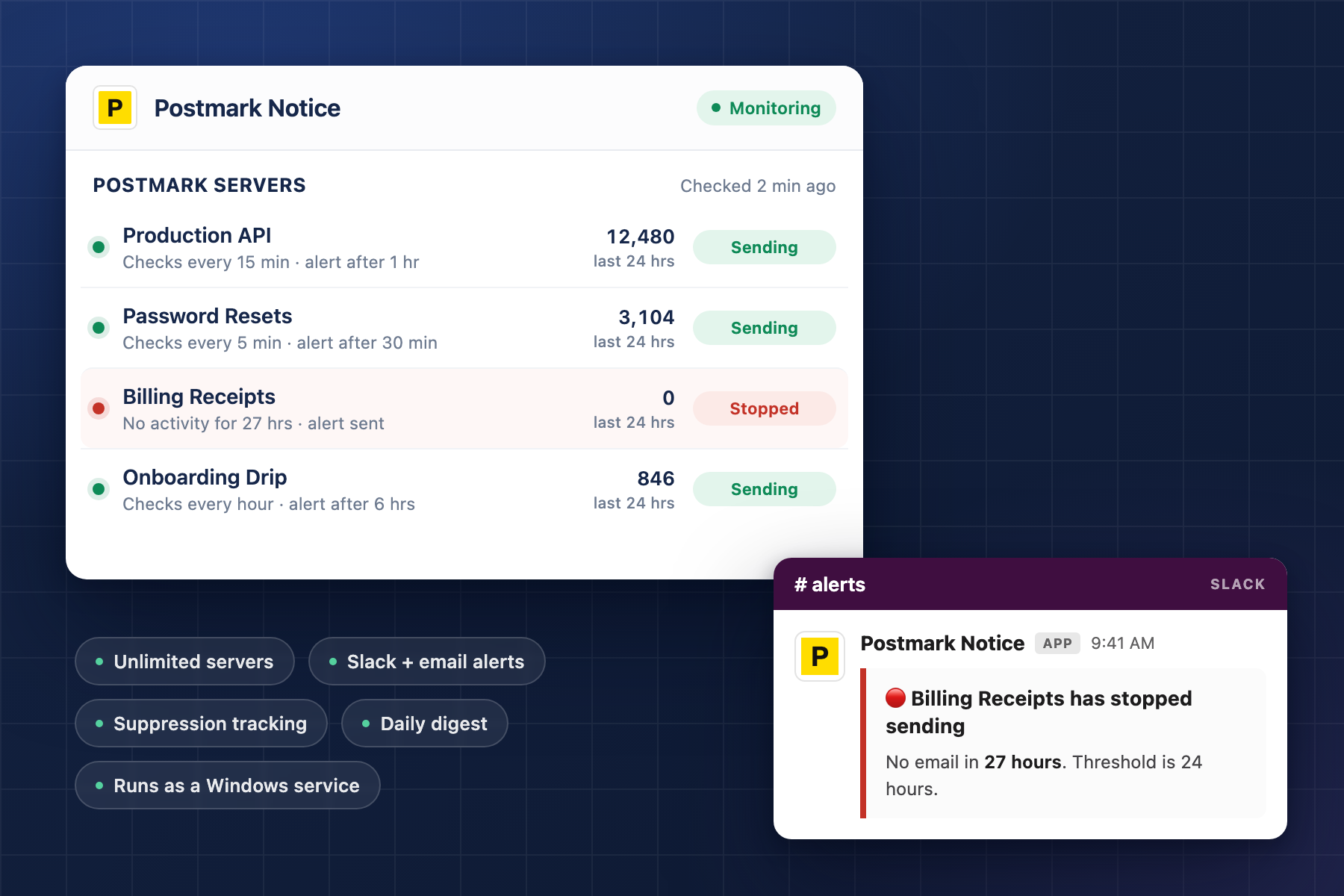
Postmark Monitor is a small app that sits outside your stack, watches your Postmark servers on a schedule, and tells you — by Slack, by email, or both — when one of them stops sending. That’s the whole thing. It doesn’t touch your site, it doesn’t send your mail, and it has no opinion about your templates.
It also isn’t infrastructure monitoring. It doesn’t watch your server, your scheduled tasks, or your uptime. It watches one thing: whether email from your websites is still going out.
Which raises the obvious objection: Postmark already has alerting. It emails you about bounces. It fires webhooks on spam complaints. The dashboard shows you every message you’ve ever sent and exactly what happened to it. Postmark’s reporting is genuinely one of the best things about the service, and I’m not building a replacement for any of it.
I built this because all of that reporting has one thing in common. It requires a message to exist.
Because “nothing sent” isn’t an error
Every alert Postmark can send you is triggered by an event. A bounce is an event. A complaint is an event. A delivery is an event. The system is built to tell you what happened to your email, and it does that well.
Now picture the failure I actually care about. Something upstream quietly stops handing messages to Postmark — and it genuinely doesn’t matter what. A plugin update, an expired key, a setting somebody changed without connecting it to email. The tool doesn’t know the cause and doesn’t try to. It only watches the effect, which is that the website has stopped sending email.
Nothing errors. There’s no bounce, because there was no message. No failed delivery, because nothing was attempted. No complaint, no webhook, no red row anywhere. The send count for that server goes from forty a day to zero, and zero is not an error condition — it’s just a number on a chart nobody’s looking at.
That’s the failure mode that hurts, and it’s invisible to every tool that waits to be told something. Error monitoring is reactive by design. It needs an object to catch. Absence produces no object, at no particular moment, which means there’s no place to hang a handler and nothing for the existing alerting to fire on.
The practical consequence is that these outages run long. Not minutes — days.
I found out the way you don’t want to. A client called and said they weren’t getting emails from the website. We said we’d look into it, and we meant it, but we were starting from nothing — it hadn’t occurred to us that Postmark had simply stopped sending. Nothing had told us, because nothing was watching for that.
The bug itself was small. They usually are. What I wanted wasn’t a better way to diagnose it — it was to know that email had stopped going out, around the time it stopped, without a client being the one to bring it up.
Because checking manually doesn’t scale past about three
The obvious answer is to just look. Open the dashboard, glance at the activity, confirm things are moving.
I did that. It works fine when you’re watching one server. It falls apart immediately at any real number, because the check is worthless unless it’s habitual, and nothing about opening a dashboard to look at a chart that’s been fine for six months is habitual. You do it every day for a week, then twice the next week, then you stop. The check that catches the outage is the one you’d have done on the Thursday you were busy.
Worse, it’s a check with no memory. Looking at a server tells you what it’s doing right now. It doesn’t tell you that this one hasn’t sent anything since Tuesday, unless you happen to remember what Tuesday looked like, across every server, from memory.
That’s not a discipline problem I could fix by trying harder. It’s a job for something with a clock that doesn’t get tired.
Because an alert nobody sees is not an alert
The first real decision was where the alert goes, and I ended up not making it. You configure it: Slack, email, or both.
That’s not indecision, it’s the shape of the problem. The two channels fail differently, and which one is right depends on facts about your setup that I don’t have.
Slack gets the alert in front of you while you’re doing something else, in a channel you’re already sitting in. That’s the standard worth holding, because any tool that requires you to remember it exists has already failed — remembering to check is exactly the behavior that broke in the first place. Email can’t quite match that. It lands in an inbox alongside everything else automated, and automated mail tends to end up in a folder you check on roughly the same schedule as the dashboard you already stopped opening.
But plenty of people don’t run Slack, or don’t run it in a way where a webhook reaches anyone who can act on it. And there’s a sharper reason the option exists, which is that alerting about email over email has a shared-fate problem. If what broke is far enough upstream, the warning can end up stuck in the same queue as the messages it’s warning you about. A channel that fails at the same moment as the system it’s watching isn’t much of a channel.
The fix is that you supply the SMTP server. It isn’t locked to Postmark and it isn’t routed through anything of mine — you point it at whatever mail path you want, which means you can deliberately choose one that has nothing to do with the servers being monitored. Use a different provider entirely and the alert travels a road that can’t break for the same reason the thing it’s reporting on broke.
Which is the one configuration note worth stating plainly: don’t point the SMTP settings at the same Postmark account you’re watching. It’ll work, and it’ll keep working right up until the moment you need it, which is the worst possible time to discover you built a loop.
So the honest recommendation is both, for anything you’d actually be embarrassed to miss. Slack for speed, email for the case where Slack is down or the webhook went stale six months ago and nobody noticed. They cost nothing to run together and they don’t fail at the same time.
Because monitoring that cries wolf gets muted, and muted monitoring is worse than none
This is where most of the work went, and it’s the least interesting-sounding part of the tool.
Every server sends on a different rhythm. One fires receipts within seconds of a purchase, dozens of times a day. Another sends invoices on the first of the month and sits idle in between. A third handles password resets on a low-traffic B2B site, where three quiet days is a completely ordinary week.
Run one threshold across all three and every outcome is bad. The busy server takes hours to alert, which is too slow to be worth having. The monthly one alarms constantly. And within about two weeks somebody mutes the channel, at which point you have monitoring that provides no monitoring — which is genuinely worse than having none, because you believe you’re covered.
So thresholds are per-server. Check interval anywhere from five minutes to a day, alert threshold from five minutes to seventy-two hours, tuned to what that specific server is actually supposed to do. There’s weekend suppression, because a Saturday with no orders on a business site is a Saturday, not an incident.
Alarm fatigue is a one-way door. Once a channel has cried wolf, people stop reading it, and you can’t undo that by fixing the threshold afterward. Getting this right is most of the difference between a tool that’s still running in a year and one that got turned off in month two.
Because I wasn’t going to hold anyone’s tokens
There’s no account, no signup, and no service of mine in the middle. Your Postmark tokens stay on your machine, and everything the app talks to is yours: Postmark, your own Slack webhook, and wherever you’ve told it to send mail from.
What it’s for
It’s a smoke detector. That’s the entire pitch and I’m not going to dress it up.
Point it at any server you want, as many as you want. There’s no limit and no per-server cost — add every Postmark server you’re responsible for, give each one a schedule that matches what it’s actually supposed to do, and let it sit there.
You can see it here: Postmark Monitor. Thirty dollars once.
If you run it against real infrastructure and it misses something it should have caught, tell me. That’s how the thresholds ended up where they are.